ISSUE REPORTING & RESOLUTION
Every reported issue needs a clear next step.
Make problems easy to report, give responsible people the context to act, and let the reporter see how the response is progressing.
Report from mobile. Coordinate from desktop or mobile. Keep everyone informed.
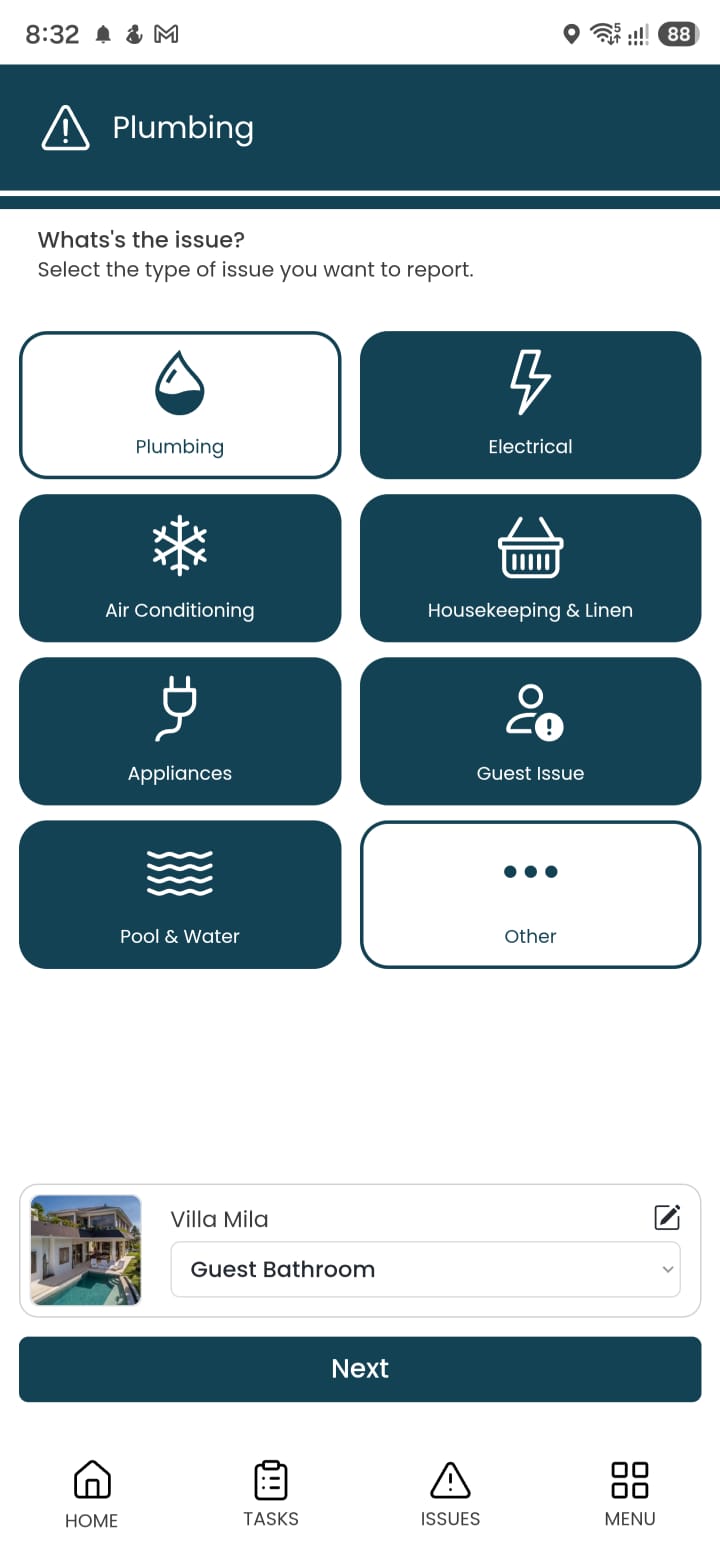
Mobile issue report
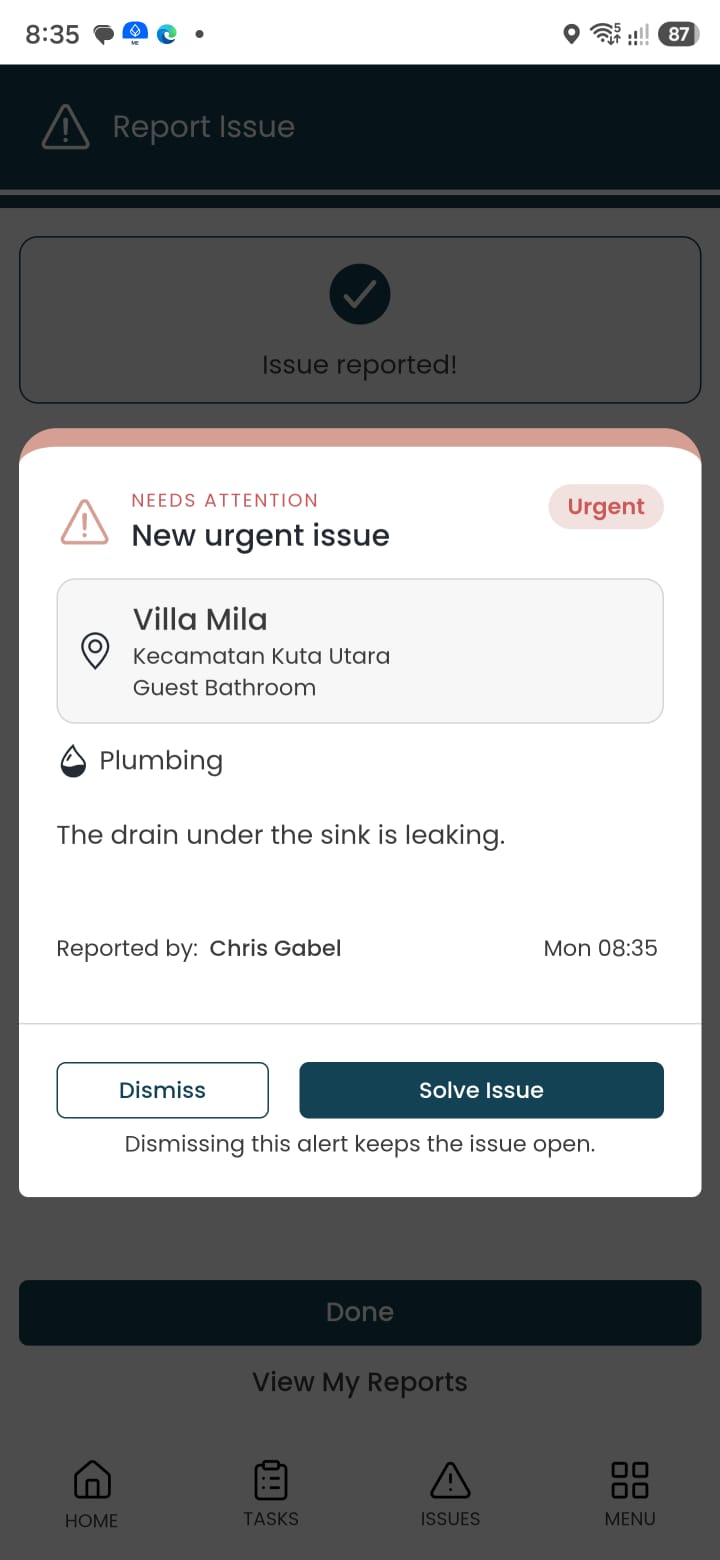
Responsible person’s issue alert
A problem is easier to solve when the details arrive together.
A message saying “the AC is broken” leaves questions unanswered. Which property? Which room? What is happening? Who is taking care of it?
Luingo brings the issue type, location, description, and photos into one report. The responsible people can review the problem and arrange the next action without piecing together information from several conversations.
Clear information
Give the team the details needed to understand the problem.
Clear responsibility
Route the report to the people responsible for responding.
Visible follow-up
Let the reporter see when a task has been assigned and scheduled.
From a reported problem to a reviewed result.
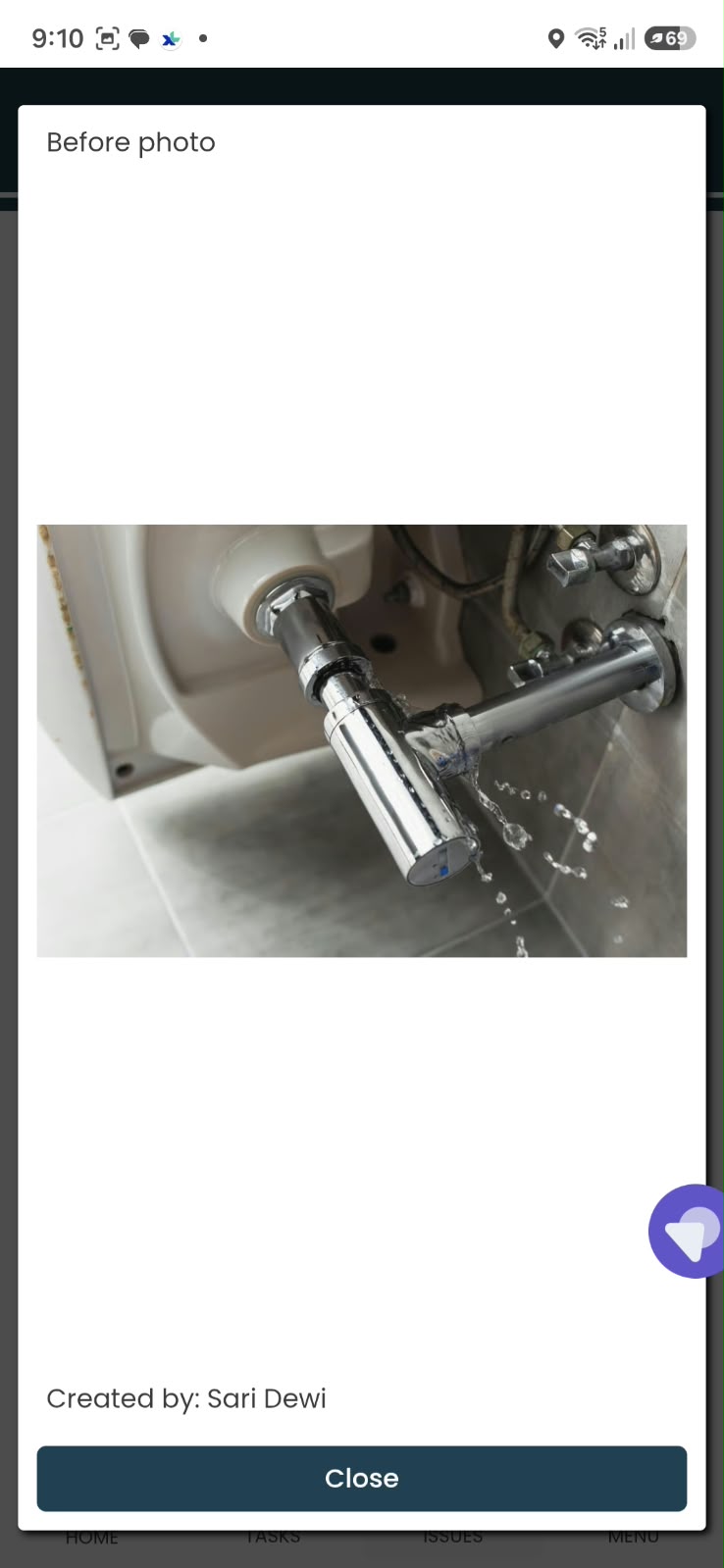
Try the Villa Mila plumbing example: report the issue, assign the response, complete the work with photo evidence, and review the result.
SCHEDULED IS THE START
Keep the issue connected to the work that solves it.
Once the task is scheduled, the assigned person can carry out the work and provide the required completion details.
Where the task requires photo proof and supervisor approval, those steps help management review the result. If something needs further attention, an improvement task can keep the follow-up moving.
The issue, the task, and the evidence form a connected record of what happened.
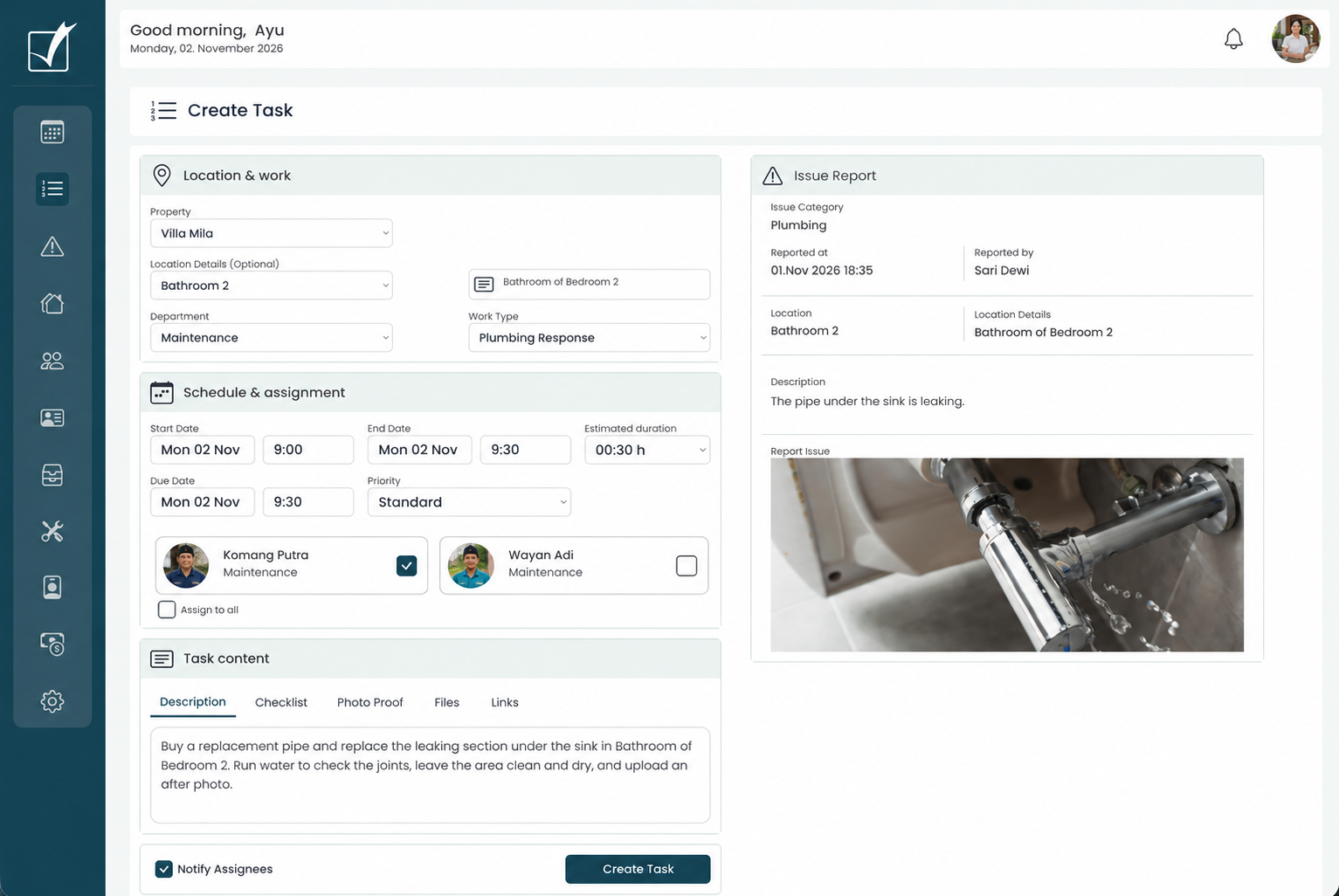
From issue report to assigned maintenance task
Illustrative adaptation of the live screen · Select the image to enlarge.
Follow progress
Review the linked task to understand how the response is progressing.
Review the result
Use the required completion evidence and approval process to assess the work.
Keep the history
Retain the original report and its related work for later reference.
BUILT FOR EVERYDAY HOSPITALITY PROBLEMS
A familiar category for the problems your team encounters.
From a leaking tap to a guest-related concern, predetermined categories make it easier to report an issue consistently and direct it toward the appropriate response.

Electrical
Lights, sockets, power interruptions, and other electrical problems.

Plumbing
Leaking taps, blocked drains, toilets, and pipework.

Air Conditioning
Cooling problems, unusual noise, and leaking AC units.

Appliances
Problems with refrigerators, televisions, kitchen equipment, and other appliances.

Guest-related
Guest concerns and operational matters requiring attention.

Housekeeping
Cleaning, linen, room readiness, and housekeeping issues.

Gardening
Plant care, grounds, and garden maintenance.

Pool
Pool cleanliness, water condition, and equipment issues.

Security
Access, locks, and property-security concerns.

Internet / Wi-Fi
Connectivity, signal, and network problems.

Water
Water supply, pressure, storage, and related concerns.

Gas
Gas supply and equipment concerns.

General / Other
Problems that do not fit another category.
These are example categories. Confirm the exact category labels, order and configured routing in the app during your demonstration.
GET THE REPORT TO THE RIGHT PEOPLE
Reduce the time between “reported” and “being handled.”
Configured routing helps direct new reports to the responsible people. They can review the issue and arrange the next step from a desktop in the office or a mobile phone while moving between properties.
Route automatically
Use the issue category and your configured responsibilities to notify the appropriate people.
Act from desktop
Review the report and organize the task while managing the wider operation.
Act from mobile
Respond on the move, assign the work, and set the schedule without returning to the office.
Issues can be reported and reviewed around the clock. Your staffing and response arrangements determine when work is carried out.
EASY TO REPORT. EASIER TO UNDERSTAND.
Give your team a reporting process they can use confidently.
The person who discovers the problem often has the best information about it. Make it straightforward for them to share it while they are at the property.
Authorized team members with mobile access can choose the category and location, describe the issue, and add a photo. Language support helps teams communicate across different working languages.
- Familiar issue categories.
- Property and space identified in the report.
- Photos that help explain the problem.
- Reporting in the person’s own language.
- Translation into Luingo’s seven supported languages: English, Indonesian, German, French, Spanish, Thai, and Japanese.
Planned · Guest reporting
Guest reporting is planned as part of the future Luingo Guest App, extending the reporting journey to guests themselves.
CLOSE THE COMMUNICATION GAP
Let the person who reported it see what happens next.
Submitting a report should not leave someone wondering whether anybody noticed it.
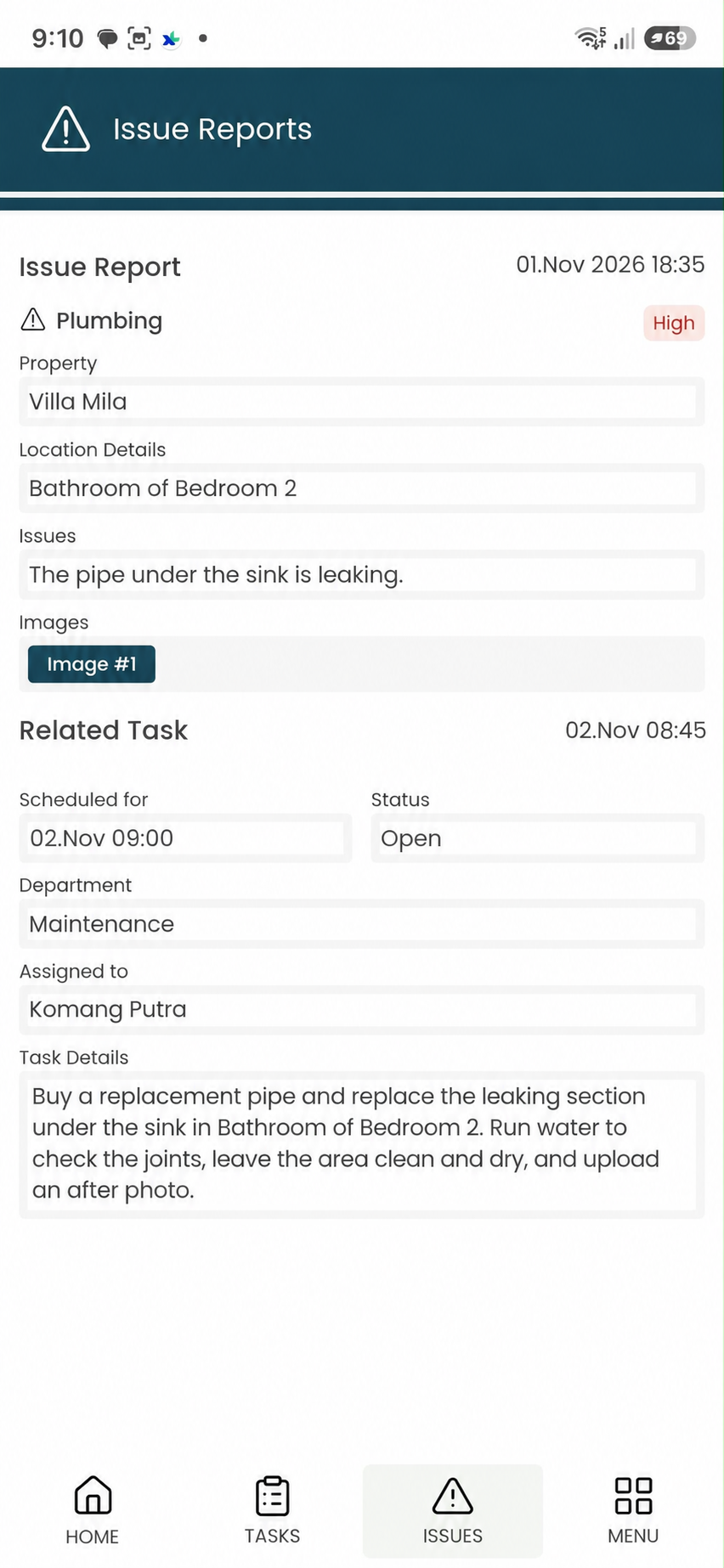
When a linked task has been assigned and scheduled, the reporter receives an update and can view the task from the issue screen.
That visibility helps housekeeping, supervisors, and other team members coordinate around the planned work without repeatedly forwarding messages or chasing a reply.
Task assigned
Schedule visible
Details accessible
Useful across the property—not just when something breaks.
Illustrative scenarios
Before a guest arrives
Housekeeping reports an AC problem during preparation. The responsible person reviews it and schedules a task before deciding the next operational step.
During a stay
A team member reports a Wi-Fi issue with the location and symptoms. Management assigns the follow-up and keeps the reporter informed.
During routine work
A gardener notices a water leak. The report reaches the responsible person, who creates a plumbing task with the details already connected.
YOUR QUESTIONS, ANSWERED
Issue reporting, explained.
Who can report an issue?
Authorized users with mobile access can report issues within the locations and permissions available to them.
Can staff report in their own language?
Yes. Staff can describe an issue in their own language, with translation into Luingo’s supported languages helping the receiving team understand it.
Who receives a new issue?
The responsible people are notified according to the routing and responsibilities configured for your operation.
Can I respond from my phone?
Yes. Responsible users can review an issue and create, assign, and schedule its related task from mobile. Desktop handling is also available.
Can the person who reported the issue see the task?
Yes. The reporter receives an update when the related task is assigned and scheduled and can view its details from the original issue.
Does creating a task mean the issue is solved?
No. Creating and scheduling the task establishes the response. The work still needs to be carried out and completed through the applicable review process.
Does Luingo guarantee a response at any time of day?
Luingo supports reporting and reviewing issues around the clock. Response times depend on your team, routing, and operational coverage.
Can guests report issues themselves?
Guest reporting is planned for the future Luingo Guest App. The current workflow is for authorized users with mobile access.
Can issue-related work support owner reporting?
Yes. Related tasks, evidence, and approved financial information can provide context in owner reporting, subject to the information made available to the owner.
A CLEARER RESPONSE STARTS WITH A BETTER REPORT
See how an issue moves through your operation.
We’ll walk through reporting, routing, task assignment, and reporter updates using the way your team works.
Book a 30-minute online call to discuss your operation and arrange a demonstration at your Bali office.
60 days · up to 20 properties · free onboarding. Contact details and Stripe card authorization are required. Charging follows the trial under your agreed plan.