FEATURES / OWNER PORTAL
Give owners a clearer picture of their property.
Give owners access to selected property information and approved financial records, with supporting detail that helps explain the activity behind the numbers.
Owner reporting is included in every property plan.
Performance in one view
Work behind the numbers
Owners kept in the loop
One property. Two useful perspectives.
For managers
Give owners access to selected property information and approved financial records, with supporting detail that helps explain the activity behind the numbers.
For owners
See the information your management team shares about your property, from bookings and operational activity to approved financial reports.
Owners: ask your property manager about access to Luingo.
Make the reporting context clear.
Choose the property and reporting period to review the information shared with each owner.
Recorded transactions are not a live bank balance.
FROM OPERATIONS TO OWNER CONFIDENCE
The work on-site. The story in the report.
Review property reports alongside the operational activity shared with each owner.
01
Capture the work
Capture issues, tasks and photo proof as work happens at the property.
02
Review and approve
Review completed work and approved financial records, with access tailored to each owner.
03
Keep owners informed
Owners can follow performance and completed work in the portal. Monthly summaries can also be emailed.
WHAT’S INSIDE THE OWNER PORTAL
The numbers. The work. The context.
Give owners a place to understand how their property is performing and being cared for.
01
Dashboard
A monthly overview of occupancy, income, cost ratios and property KPIs. Compare periods and bring the month’s performance into one clear view.
02
Profit & loss
Follow income, cost of sales, operational expenses and net results month by month, with approved financial items feeding the report.
03
Tasks & routines
See task progress, completed work, photos and status updates. Give owners context for the day-to-day care of their property.
04
Maintenance issues
Follow the issues and repairs made available to an owner.
05
Cashbook & funds
Review recorded property transactions and expenses within the owner’s permissions. Recorded funds are not a live bank balance. Owner payout requests are a future idea.
06
Attendance
Share check-ins and time spent on-site when the relevant HR functionality is activated, adding context to the work behind the report.
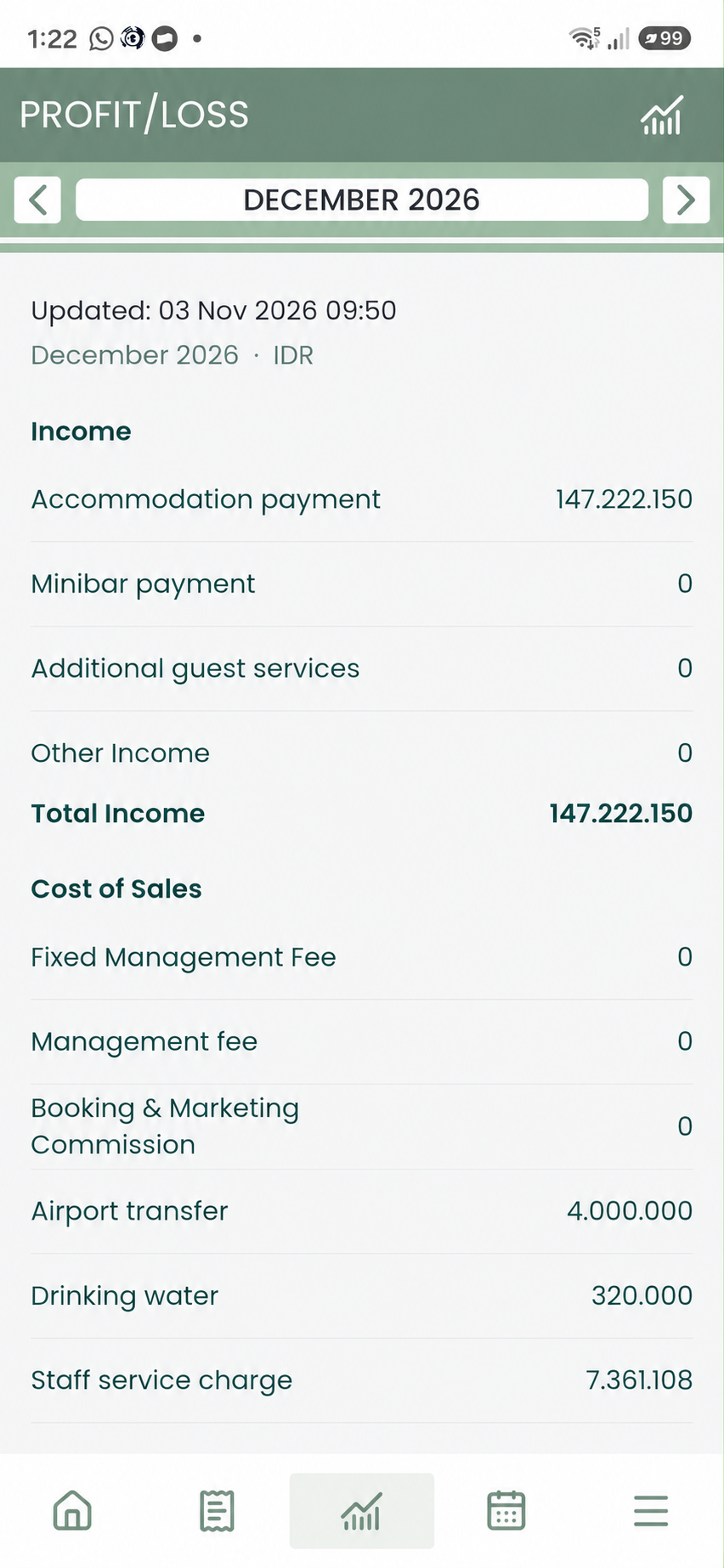
FINANCIAL CLARITY, WITH CONTEXT
Make the month easier to explain.
Review approved income, costs and net results for the selected period, within each owner’s permissions.
- Income, cost of sales and operational expenses
- Net results and period comparisons
- Supporting detail available within the owner’s permissions
- Monthly summaries that can be emailed
AN EXPERIENCE THAT FITS YOUR SERVICE
Your owners. The right view for each one.
Make the portal part of the relationship you build with your owners. Discuss branding and owner access with us as you plan your rollout.
Choose what each owner sees
Set the right view for each relationship, from the dashboard and P&L to tasks, issues, cashbook and attendance.
Carry your brand through
Discuss your logo, colours and portal branding. Scope, availability and any additional terms are agreed around your operation.
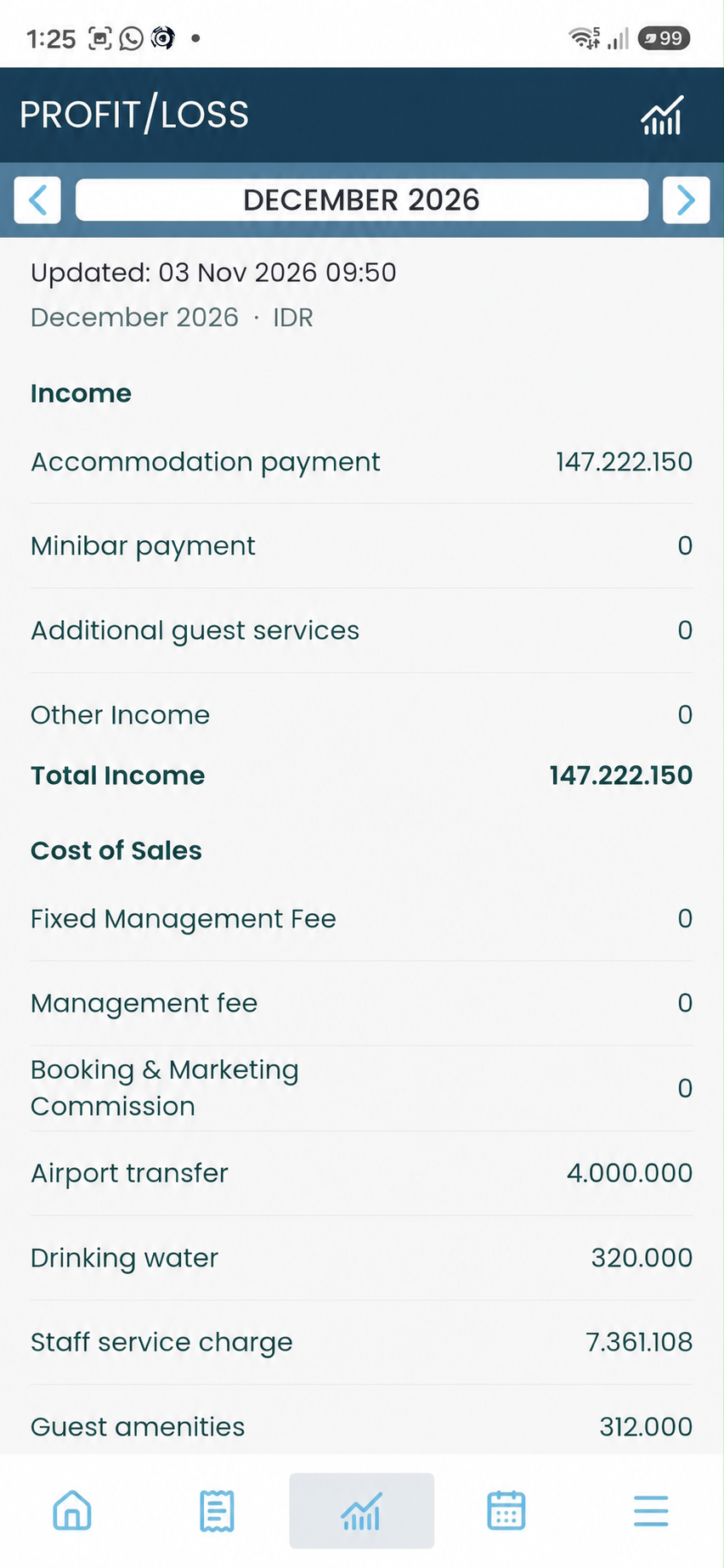
Example portal branding
A PRACTICAL START
Start with your first properties. Build the workflow together.
The 60-day trial covers up to 20 properties with free onboarding. We help with SOP setup, manager and staff training, and an internal champion for the wider rollout.
Put owner reporting on your demo agenda.
Bring the reports you use today. Walk through the portal with Chris and discuss how it fits your team, your owners and your approval workflow.
Book a 30-minute online call to discuss your operation and arrange a demonstration at your Bali office.
A CLEARER OWNER EXPERIENCE
A few things owners and managers ask.
Is owner reporting included in my plan?
Yes. Core owner reporting and the Owner Portal are included in every property plan, along with free onboarding and channel manager integration. Branding and custom options are scoped separately.
Do financial items need approval?
Yes. Approved financial items flow into owner reports. Keeping the work, proof and related costs connected helps the team review items and explain the report.
Can owners request a transfer?
Owner payout requests are a proposed future workflow. They are not an implemented transfer or banking feature.
Can each owner have a different view?
The existing portal provides per-owner access controls for sections such as the dashboard, P&L, tasks, issues, cashbook and attendance. Discuss your access requirements during onboarding.
Can monthly summaries be emailed?
Yes. Monthly summaries can be emailed, while the portal gives owners a place to follow their property between reports.
Does the portal replace our booking system?
Luingo works alongside your booking or channel system to connect operations and owner reporting. Beds24 is the currently working integration; other providers are planned or in progress.
SHOW THE WORK BEHIND THE NUMBERS
Give your next owner conversation a clearer starting point.
See the Owner Portal with Chris, or start building your first properties into a connected workflow.
60 days · up to 20 properties · free onboarding. Contact details and Stripe card authorization are required. Charging follows the trial under your agreed plan.