RESERVATIONS
Turn a guest request into a prepared stay.
A baby cot in bedroom two. A check-in task that needs one extra step. Follow the request from the booking conversation to the housekeeping checklist - and back to the guest.
ONE REQUEST. FIVE STEPS. EVERY HANDOVER VISIBLE.
Five-step example using app screenshots with sample guest details. Notification and reply cards illustrate the handovers. Select each step to follow the request.
01 · THE BOOKING
A name on the calendar. A stay to prepare for.
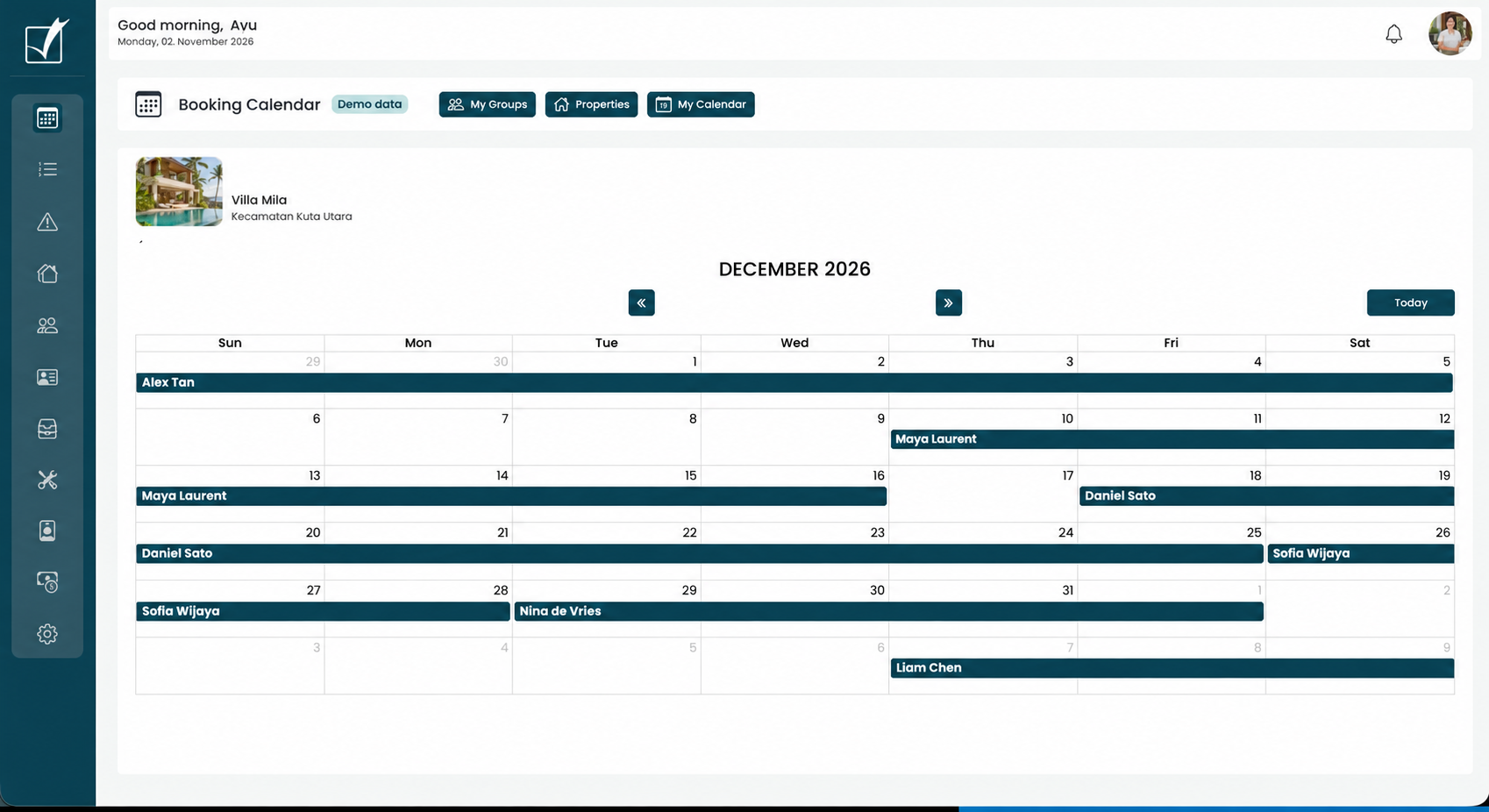
Open Alex Tan’s booking to see arrival and departure times, the guest conversation and the work around the stay.
02 · THE GUEST REQUEST
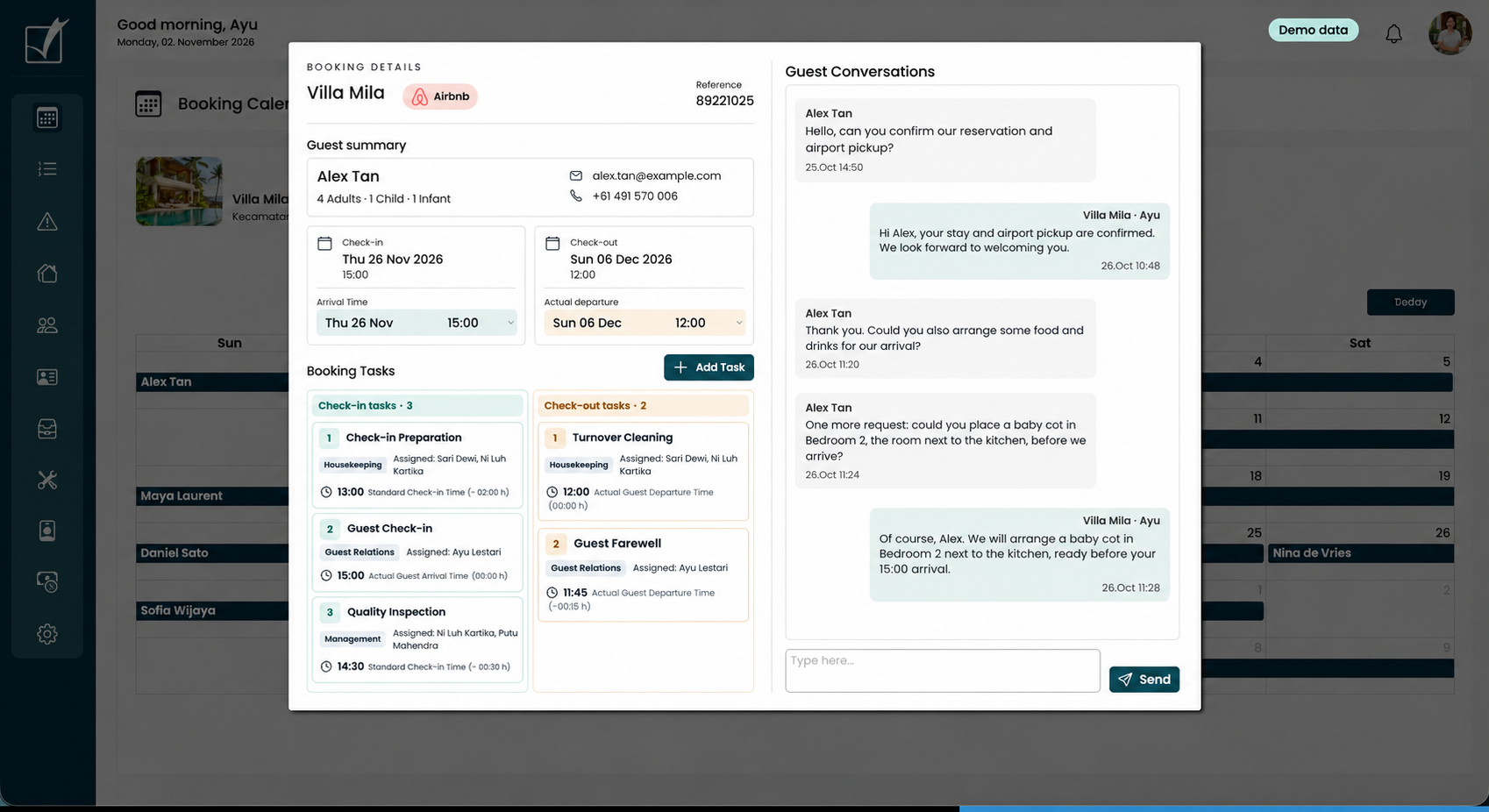
“Could you provide us with a baby cot?”
Alex asks for a baby cot in Bedroom 2. Ayu confirms it will be ready before arrival. The same booking shows turnover cleaning and a Guest Relations farewell task at 11:45 before the 12:00 checkout.
03 · ADD TO THE ASSIGNED TASK
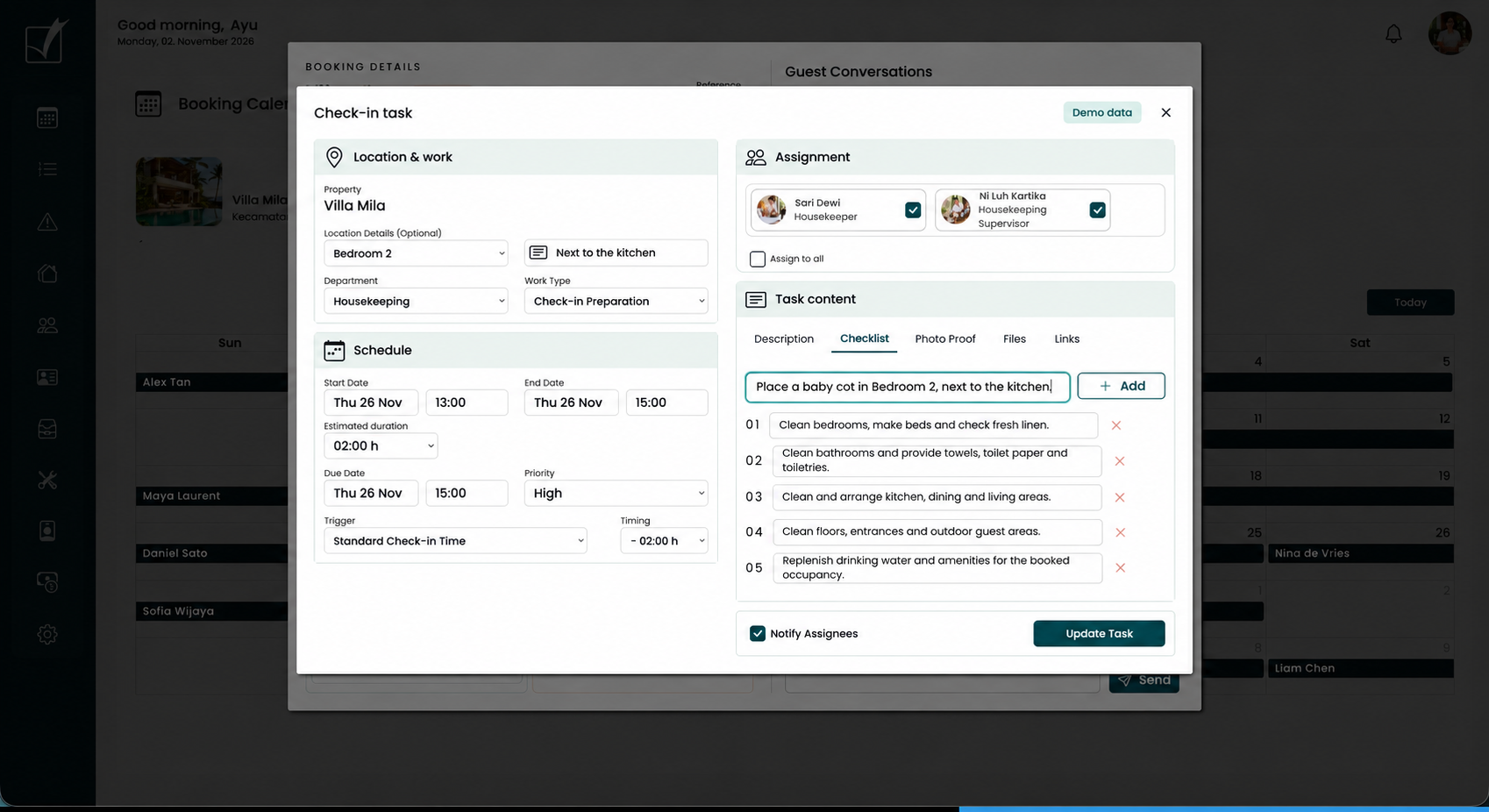
Add the request to the work already assigned.
Add “Place a baby cot in Bedroom 2, next to the kitchen” as an additional checklist item inside the check-in preparation task. Sari Dewi and Ni Luh Kartika are already assigned. Keep Notify Assignees selected when saving the update, so both receive the changed instruction. The work remains due before the guest’s 15:00 arrival.
04 · NOTIFY THE TEAM AND FOLLOW THE WORK
The added instruction reaches the people doing the job.
Sari Dewi and Ni Luh Kartika receive the same notification about the added baby-cot instruction. Each acknowledges it with a single action. No reply needs to be written. The task then shows completion and supervisor review before Ayu updates the guest.
ILLUSTRATIVE NOTIFICATIONS AND ACKNOWLEDGEMENTS
TASK UPDATE · 26 OCT, 11:30
Sari Dewi
Housekeeper · Assigned to check-in preparation
New checklist item
Place a baby cot in Bedroom 2, next to the kitchen.
✓ Acknowledged · 11:33
TASK UPDATE · 26 OCT, 11:30
Ni Luh Kartika
Housekeeping Supervisor · Assigned to the task
New checklist item
Place a baby cot in Bedroom 2, next to the kitchen.
✓ Acknowledged · 11:35
WORK COMPLETED AND CHECKED · 26 NOV
✓ Completed · 14:10 · Sari Dewi
✓ Reviewed · 14:20 · Ni Luh Kartika
05 · CLOSE THE LOOP WITH THE GUEST
The guest gets an answer backed by completed work.
Ayu follows the staff update, confirms the room is ready and replies in Alex’s booking conversation. The request has a visible trail from message to checklist, staff notification, completion and guest confirmation.
VILLA MILA · ALEX TAN · SAMPLE CONVERSATION
“Could you provide us with a baby cot?”
“Hi Alex, your baby cot is now set up in Bedroom 2, next to the kitchen. Our housekeeping supervisor has checked the room, and everything is ready for your 15:00 arrival. We look forward to welcoming you!”
“Perfect, thank you for sorting that out. See you soon!”
Request recorded → Team assigned → Staff notified → Work checked → Guest updated
MAKE THE CHANGE VISIBLE
Tomorrow’s check-in has one new detail.
“Prepare the villa” looks like a routine task. “Add the baby cot to bedroom number 2” is the detail your team needs to notice. Follow one connected workflow: keep the conversation and linked tasks together, notify the team about the update, and make the new checklist item stand out on mobile.
Keep the context.
Open the right preparation task directly beside the guest’s message, with the property and stay already in view.
Show what changed.
Follow the notification to a highlighted checklist item, so the extra request is easy to spot among the usual preparation steps.
Close the conversation.
Return to the guest’s message and confirm the arrangement. Adding an instruction means it is planned; staff check it off when the work is done.
BRING YOUR OWN WORKFLOW
See the handoff with your team in mind.
Bring a real guest request and the PMS you use today. Walk through the booking, task update and staff notification together.